How to Mirror Phone Screen to Android Auto (2026 Guide)
To mirror your phone to Android Auto in 2026, use AAAD (Android Auto Apps Downloader) to sideload a screen mirroring app — no root required. Download AAAD from aaad.app, install either Screen2Auto (full app launcher and touch control) or AA Mirror Plus (simple one-tap casting), then enable Unknown Sources in Android Auto Developer Settings. The mirroring app will appear in your Android Auto launcher within minutes. Android Auto limits its app ecosystem for safety reasons — navigation, audio, an
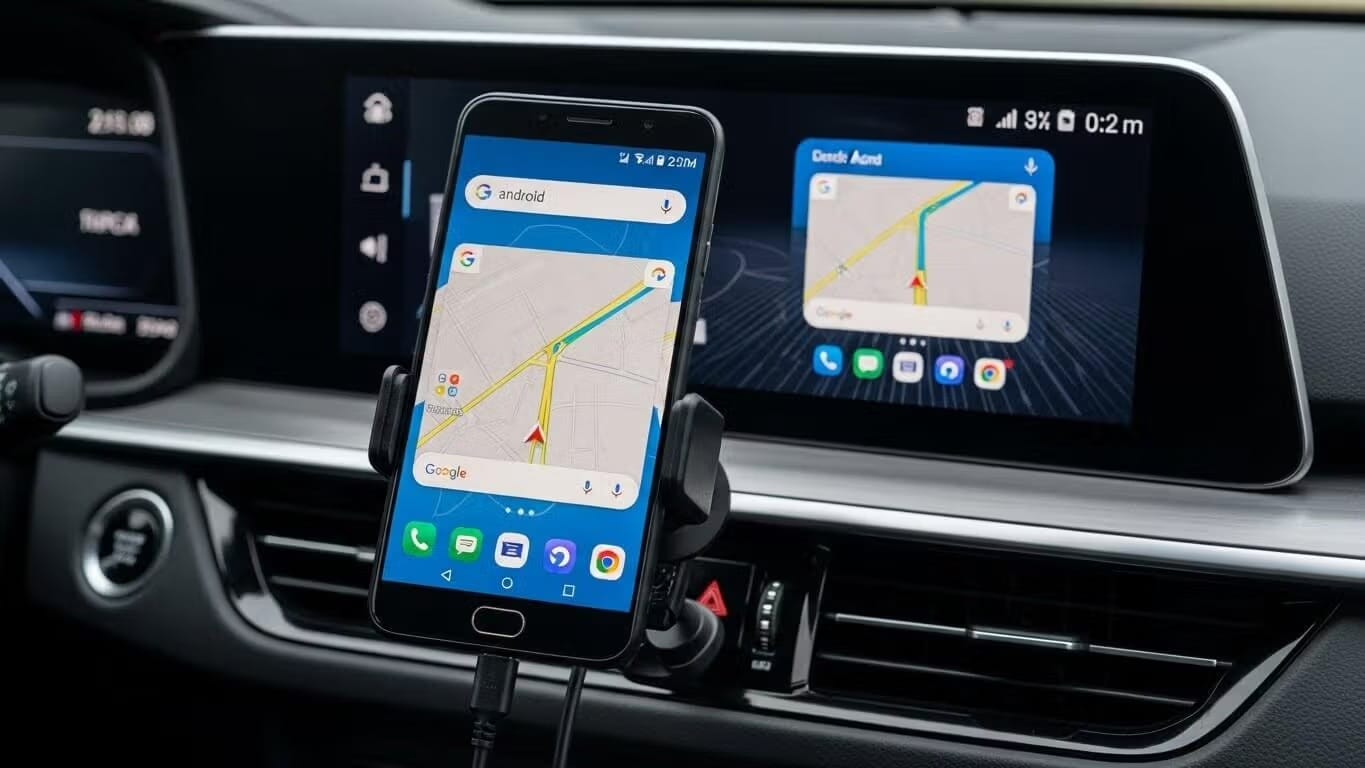
To mirror your phone to Android Auto in 2026, use AAAD (Android Auto Apps Downloader) to sideload a screen mirroring app — no root required. Download AAAD from aaad.app, install either Screen2Auto (full app launcher and touch control) or AA Mirror Plus (simple one-tap casting), then enable Unknown Sources in Android Auto Developer Settings. The mirroring app will appear in your Android Auto launcher within minutes.
Android Auto limits its app ecosystem for safety reasons — navigation, audio, and communication only. If you want to go further and cast your full phone screen to your car's display, you need to bypass those restrictions using a third-party tool.
This guide covers the software method (no root, no developer options required), how to pick between the two main mirroring apps, and how to fix every common issue.
⚠️ Safety Notice: Watching video on your car's display while driving is illegal in most jurisdictions and causes accidents. Screen mirroring is intended for parked use — EV charging stops, passenger entertainment, or using navigation apps unavailable on the Play Store.
How Do You Mirror Your Phone to Android Auto Without Root?
The most reliable way to mirror your phone screen to Android Auto without rooting or enabling developer options is using AAAD (Android Auto Apps Downloader).
AAAD is an open-source utility that sideloads unofficial apps — including screen mirroring tools — directly into Android Auto. It bypasses Google's Play Store restriction without touching your phone's security settings.
What you get access to:
- Screen2Auto — Full app launcher, touch input on the car screen, adjustable resolution
- AA Mirror Plus — Lightweight one-tap screen casting, simpler setup
Cost: Free version allows one app download every 30 days. Pro version (one-time fee) gives unlimited downloads.
Method 1: The Software Solution (No Root Required)
The most popular method to mirror your screen without rooting your phone is using a third-party utility called AAAD (Android Auto Apps Downloader).
What is AAAD?
AAAD is an open-source utility that allows you to download and install unofficial apps directly to Android Auto. It creates a gateway for apps that Google has not approved for the Play Store, such as screen mirroring tools.
Key Features:
- No Root Required: Works on standard Android phones.
- Mirroring Apps: Provides access to Screen2Auto and AA Mirror Plus.
- Cost: The free version allows one download every 30 days; the Pro version offers unlimited downloads.
Step-by-Step Installation Guide
Step 1 — Enable Unknown Sources in Android Auto
Before installing any mirroring app, configure Android Auto to accept sideloaded apps. This requires unlocking Android Auto's hidden Developer Mode.
- Open Settings on your phone and search for Android Auto.
- Scroll to the Version number at the bottom of the Android Auto settings page.
- Tap the version number 10 times rapidly until a pop-up asks you to enable developer settings. Tap OK.
- Tap the three-dot menu (top right) and select Developer settings.
- Check the box for Unknown Sources.
Why this step matters: By default, Android Auto only displays apps distributed through Google Play. Enabling Unknown Sources allows sideloaded apps like Screen2Auto to appear on your car's display.
Step 2 — Download and Install AAAD
- Go to aaad.app and download the latest APK.
- Open the downloaded APK on your phone.
- If prompted, allow your browser or file manager to Install unknown apps (this is a one-time permission for the installer, separate from the Android Auto setting above).
- Complete the installation. AAAD will appear on your home screen.
Step 3 — Install a Mirroring App
- Open AAAD.
- Select Screen2Auto or AA Mirror Plus from the app list. (Not sure which one? See the comparison below.)
- Tap Download and Install.
- Connect your phone to your car via USB or wireless Android Auto.
- On your phone, go to Settings > Connected Devices > Android Auto > Customize Launcher and confirm the mirroring app is checked and enabled.
The app will now appear in your Android Auto home screen on the car display.
What Is the Difference Between Screen2Auto and AA Mirror Plus?
Both apps install through AAAD and work without root. The difference is in how they mirror and what level of control you get.
| Screen2Auto | AA Mirror Plus | |
|---|---|---|
| Best for | Power users who want full phone access | Casual users who want simple video casting |
| Touch input on car screen | Yes | No |
| App launcher on car screen | Yes | No |
| Setup complexity | Moderate | Simple |
| Android 14/15 stability | Good | Good |
| Resolution control | Manual (720p / 1080p) | Auto |
For a full breakdown, see the Screen2Auto vs AA Mirror Plus comparison guide.
Method 2: The Hardware Solution (AI Boxes & Adapters)
If you prefer not to modify your phone’s software or sideload apps, you can use a hardware adapter. Devices often marketed as "AI Boxes" or "Multimedia Adapters" plug into your car’s USB port and "trick" the system into displaying a full Android interface.
Popular Options
- Ottocast & Otto Media: These adapters can convert wired Android Auto to wireless and often include features like Mirror Touch, which mirrors your phone and allows control via the car's touchscreen.
- Car TV Mate: Specific dongles designed to support HDMI input or direct video streaming apps.
Pros: No risk of malware on your primary phone; plug-and-play simplicity. Cons: Additional hardware cost; varying compatibility with specific car head units.
Troubleshooting Common Issues
If your mirrored screen freezes or the app doesn't appear, try these fixes sourced from community experts.
Why Isn't the Mirroring App Showing on My Car Screen?
The app installed but doesn't appear on the car display
Fix: On your phone, go to Settings > Connected Devices > Android Auto > Customize Launcher. Find the mirroring app in the list, make sure it is checked, and move it toward the top. If it still doesn't appear, confirm that Unknown Sources is enabled in Android Auto Developer Settings (see Step 1 above).
The connection freezes or crashes mid-session
Fix: Enable a USB configuration change on your phone.
- Enable Developer Options: go to Settings > About Phone and tap Build Number 7 times.
- Go to Settings > System > Developer Options > Default USB Configuration.
- Change it to File Transfer / Android Auto.
This stabilizes the data connection between phone and head unit and resolves most freeze issues.
Screen2Auto or AA Mirror Plus is unstable on Android 14 or 15
Fix: If software mirroring is unstable on newer Android versions, use an AAWireless USB dongle for a more stable connection. The wireless handshake protocol AAWireless uses is more compatible with Android 14+ than the standard wired approach for mirroring apps.
The screen shows a black box instead of the phone display
Fix: A black screen means a resolution mismatch between the app output and your head unit's display.
In Screen2Auto settings, go to Screen Settings > Restoration and manually set the resolution to 720p or 1080p instead of "Automatic."
The Screen2Auto icon is missing from the car launcher
- On your phone, go to Android Auto Settings > Customize Launcher.
- Find Screen2Auto. If it is unchecked, check it.
- Move it to the top of the list.
- Disconnect and reconnect your phone to the car.
Frequently Asked Questions (FAQ)
Do I need to root my phone to mirror it to Android Auto?
No. Tools like AAAD allow you to install screen mirroring apps like Screen2Auto on non-rooted devices.
Why doesn't YouTube work on Android Auto by default?
Google restricts video apps like YouTube, Netflix, and Games under the "Driver Distraction (DD-3)" policy to prevent accidents. These apps are blocked from launching while the car is in motion.
Is AAAD free?
AAAD offers a free version that allows one download every 30 days. A Pro version is available for a one-time fee, allowing unlimited downloads.
Will mirroring work while I am driving?
By default, Android Auto uses the car’s speed sensors to lock the screen when the vehicle moves. Third-party apps like Screen2Auto attempt to bypass this, but results vary based on your car's specific head unit and software version.
Note: ⚠️ Safety Warning & Legal Disclaimer
Mirroring video while driving is illegal in most jurisdictions and highly dangerous. These tools are intended for:
- Watching movies while parked/charging (EV users).
- Using specialized navigation apps not available on the Play Store.
- Passenger entertainment.
Unlock the Power of Android Auto
Experience full customization. Download the official AAAD downloader and start running custom YouTube, mirror, and media apps in your car today.
Install AAAD Now