How to Install AA Mirror Plus on Android Auto | 2026 Guide
AA Mirror Plus mirrors your full Android phone screen — including YouTube, browsers, and any app — onto your car's infotainment display. Install it in under 10 minutes using AAAD: download AAAD from aaad.app, tap AA Mirror Plus, tap Install, restart your phone, then connect to Android Auto. No root. No PC. No developer options beyond a one-time setup. Tired of Android Auto's restrictions? Want full access to your phone's apps—like YouTube, browsers, or productivity tools—right on your car's dis
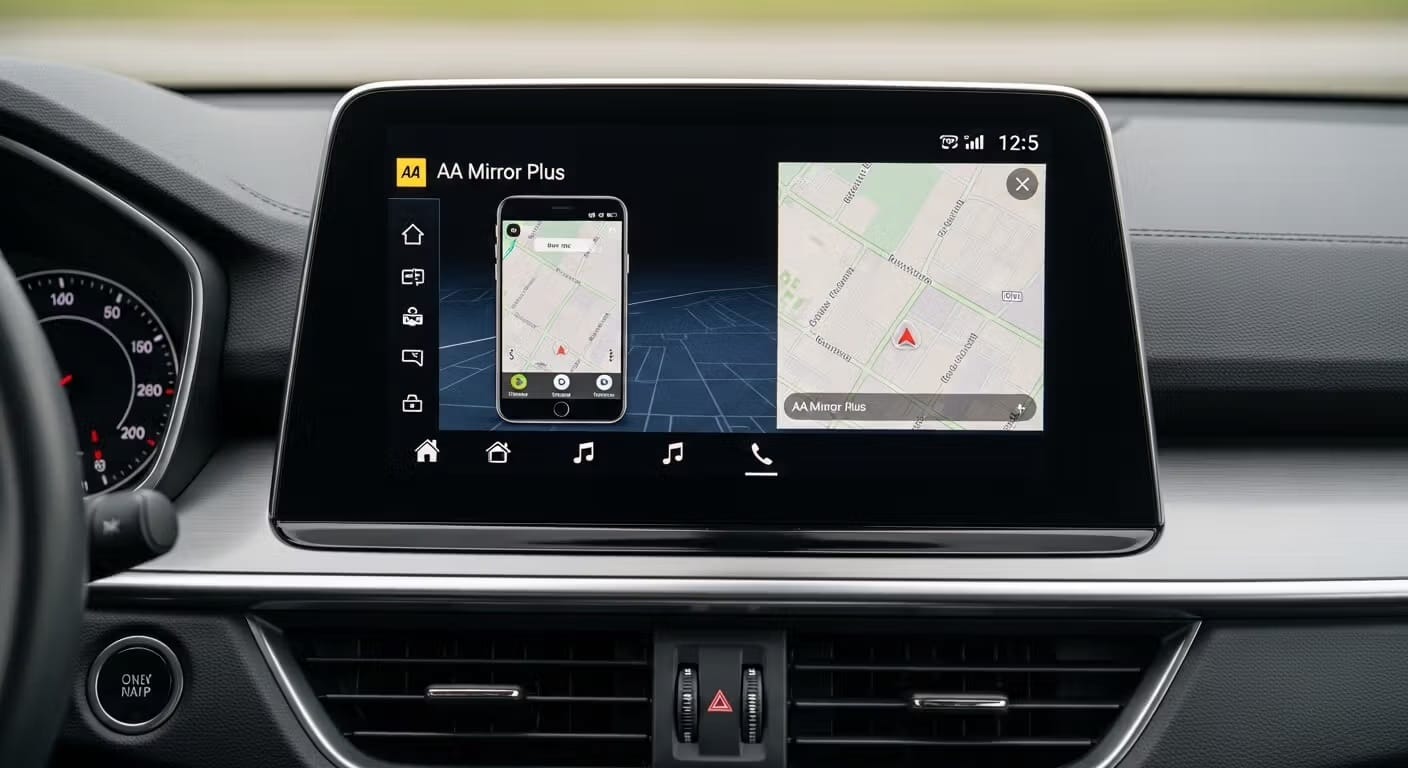
AA Mirror Plus mirrors your full Android phone screen — including YouTube, browsers, and any app — onto your car's infotainment display. Install it in under 10 minutes using AAAD: download AAAD from aaad.app, tap AA Mirror Plus, tap Install, restart your phone, then connect to Android Auto. No root. No PC. No developer options beyond a one-time setup.
Tired of Android Auto's restrictions? Want full access to your phone's apps—like YouTube, browsers, or productivity tools—right on your car's display? AA Mirror Plus delivers exactly that: complete screen mirroring with touch control, optimized for modern wide infotainment screens.
Best of all? You can install it safely and easily using AAAD (Android Auto Apps Downloader) — the trusted, no-root solution hosted right here at aaad.app.
What is AA Mirror Plus?
AA Mirror Plus is the gold standard for mirroring your entire Android phone screen onto your vehicle's infotainment display. Unlike standard Android Auto, it gives you full touch control and access to any app including YouTube, web browsers, and productivity tools while your vehicle is safely parked.
AA Mirror Plus is one of four core apps available through AAAD (Android Auto Apps Downloader) - the original, no-root app store built specifically for Android Auto. The others are CarStream, Fermata Auto, and Screen2Auto.
AA Mirror vs. AA Mirror Plus: What's the Difference?
The original AA Mirror proved that phone mirroring on Android Auto was possible — but it is no longer maintained, struggles on ultrawide displays, and is unstable on Android 14 and above. AA Mirror Plus is an actively maintained fork that fixes all of these issues.
| Feature | AA Mirror (original) | AA Mirror Plus |
|---|---|---|
| Actively maintained | ❌ Abandoned | ✅ Yes |
| Android 14 / 15 / 16 support | ❌ Unstable | ✅ Full support |
| Forced landscape rotation | ❌ No | ✅ FORCE 90 option |
| Aspect ratio control (16:9, Center Crop) | ❌ No | ✅ Yes |
| Touch accuracy on wide screens | ⚠️ Limited | ✅ Improved |
| Root required | Optional | Optional (advanced features only) |
| Available via AAAD (no root install) | ❌ No | ✅ Yes |
Step 1: Unlock Android Auto Developer Mode
Google hides the settings needed for third-party apps to prevent accidental changes. You must manually unlock your head unit's potential before AAAD can work.
- Open your smartphone's Settings and search for Android Auto.
- Scroll to the bottom and find the Version section.
- Tap the version info 10 times until a pop-up confirms Developer Mode is active.
- Tap the three dots (top-right) → Developer settings.
- Set Application Mode to Developer.
- Scroll down and check the box for Unknown sources.
- Ensure Wireless Android Auto is toggled ON, even if you use a cable.
Step 2: Install AA Mirror Plus via AAAD (Recommended Method)
AAAD is the most reliable no-root method. It spoofs the installation so your car's head unit recognises AA Mirror Plus as an officially approved Play Store app - no technical knowledge required.
- Download AAAD - Visit aaad.app and download the latest
.apkfrom the home page. - Grant Permissions - Open the APK and enable Allow from this source in your phone settings.
- Bypass Play Protect - If Google Play Protect flags the app, tap Install Anyway. AAAD is open-source and distributed via GitHub with checksums for verification.
- Select AA Mirror Plus - Inside the AAAD menu, tap AA Mirror Plus.
- Install & Restart - Once the download finishes, tap Install, then restart your phone before connecting to your car for the first time.
Free vs. Pro: The free version of AAAD allows one download per month. Upgrading to AAAD Pro unlocks unlimited downloads and directly supports the developers maintaining this ecosystem.
Step 3: Configure for Wide Displays (Rotation Fix)
Most car displays are wide (landscape). Your phone screen is portrait. Here's how to fix the aspect ratio so content fills your screen properly.
- Force Landscape - In the AA Mirror Plus app settings on your phone, go to Screen Rotation and select FORCE 90.
- 2026 S26 / Pixel 10 Fix - If the screen looks stretched, go to Display Settings within AA Mirror Plus and set the Aspect Ratio to Center Crop or 16:9.
Device Compatibility
AA Mirror Plus via AAAD has been tested across the following devices. If your device is not listed, it will most likely work — these are the models with confirmed results or known quirks.
| Device | Android Version | Status | Notes |
|---|---|---|---|
| Samsung Galaxy S25 / S26 | Android 15 / 16 | ✅ Confirmed | Use FORCE 90 + Center Crop for best display |
| Samsung Galaxy S24 | Android 14 / 15 | ✅ Confirmed | Standard setup, no quirks |
| Samsung Galaxy A55 | Android 14 | ✅ Confirmed | Standard setup |
| Google Pixel 9 / 9 Pro | Android 15 | ✅ Confirmed | Standard setup |
| Google Pixel 10 | Android 16 | ✅ Confirmed | Use 16:9 aspect ratio fix |
| OnePlus 13 | Android 15 | ✅ Confirmed | Standard setup |
| Xiaomi 14 | Android 14 | ⚠️ Variable | Some users report Play Protect interference — mark as trusted after install |
| Sony Xperia 1 VI | Android 14 | ✅ Confirmed | Standard setup |
Troubleshooting: Fixes for Android 14, 15 & 16
If the app doesn't appear on your dashboard, Google's security systems may be blocking it. Use the table below to diagnose and fix common issues.
| Problem | Likely Cause | Fix |
|---|---|---|
| App not visible in Android Auto launcher | App not enabled in launcher settings | Open Android Auto → three-dot menu → Customise Launcher → toggle AA Mirror Plus on |
| Google Play Protect blocked the install | Play Protect flagged the APK | Go to Settings → Apps → AA Mirror Plus → check status. Reinstall via AAAD, then mark both AAAD and AA Mirror Plus as trusted in Play Protect settings |
| Black screen with audio only (Netflix / Disney+) | Widevine L1 DRM blocks screen capture at hardware level | Use a mobile browser (Brave or Chrome) to visit the streaming site directly — browsers bypass the DRM that native apps enforce |
| Screen appears portrait/narrow on car display | Display not set to landscape | In AA Mirror Plus settings → Screen Rotation → select FORCE 90 |
| Screen stretched or distorted on ultrawide display | Wrong aspect ratio | In AA Mirror Plus → Display Settings → set Aspect Ratio to Center Crop or 16:9 |
| App disconnects or freezes during session | Unstable connection or background battery restriction | Disable battery optimisation for AA Mirror Plus in Settings → Battery → App optimisation |
| AA Mirror Plus won't install on Android 15 / 16 | New permission policies in Android 15+ | Ensure you are using the latest version of AAAD — the team updates it after each Android release to address new install policy changes |
Frequently Asked Questions
Is rooting my phone required to install AA Mirror Plus?
No. AA Mirror Plus installs without root using AAAD. AAAD spoofs the installation so your car recognises it as an approved app. Your warranty stays intact and nothing on your system is modified.
What is the difference between AA Mirror and AA Mirror Plus?
AA Mirror Plus is an actively maintained fork of the original AA Mirror app, which is abandoned. Key differences: AA Mirror Plus supports Android 14, 15, and 16; the original does not. AA Mirror Plus adds forced landscape rotation and aspect ratio controls for wide car displays; the original has neither. If you see guides recommending AA Mirror, they are outdated.
Why is AA Mirror Plus better than the original AA Mirror?
Three reasons. First, it is actively maintained — the original AA Mirror is no longer updated. Second, it supports Android 14, 15, and 16 with full stability. Third, it includes display controls (FORCE 90 rotation, 16:9 and Center Crop aspect ratios) that fix the portrait screen issue on ultrawide infotainment displays.
Is it legal to use AA Mirror Plus while driving?
No. Using a mirrored screen while driving is illegal in most countries. AA Mirror Plus is designed for parked use only — at a rest stop, EV charging station, or any stationary break. Never interact with a mirrored display while the vehicle is moving.
Where is the safest place to download AAAD?
Always download from aaad.app, which links directly to the official GitHub repository. Every release includes a SHA-256 checksum for verification. Never download AAAD from third-party APK sites — these often distribute modified or malicious versions.
Does AAAD work on Android 14, 15, and 16?
Yes. AAAD is tested and maintained for Android 14, 15, and 16. The team pushes updates after each major Android release to handle new permission and install policy changes. For video playback instability on Android 15 or 16, use Fermata Auto instead — also available through AAAD.
What should I do if AA Mirror Plus does not appear in Android Auto?
Three things to check. First, open Android Auto → three-dot menu → Customise Launcher → make sure AA Mirror Plus is toggled on. Second, check if Google Play Protect disabled the app — go to Settings → Apps → AA Mirror Plus and check its status. Third, if Play Protect interfered, reinstall via AAAD and mark both AAAD and AA Mirror Plus as trusted apps in Play Protect settings.
Ready to Get Started?
Download AAAD and install AA Mirror Plus in minutes from aaad.app.
No root. No PC. No developer options. Just tap and install.
Also available on AAAD: CarStream | Fermata Auto | Screen2Auto | AA Mirror Plus
Unlock the Power of Android Auto
Experience full customization. Download the official AAAD downloader and start running custom YouTube, mirror, and media apps in your car today.
Install AAAD Now