CarStream vs. Fermata Auto | The Ultimate Android Auto Video Player Comparison (2026)
One of the biggest limitations of Android Auto is the inability to play video content on your car’s dashboard. For safety reasons, Google blocks video apps officially. However, thanks to the AAAD (Android Auto Apps Downloader), users can bypass these restrictions to install third-party media players directly to their phones. Download AAAD Two names dominate this space: CarStream and Fermata Auto. Both promise to bring entertainment to your vehicle while parked, but they function very different
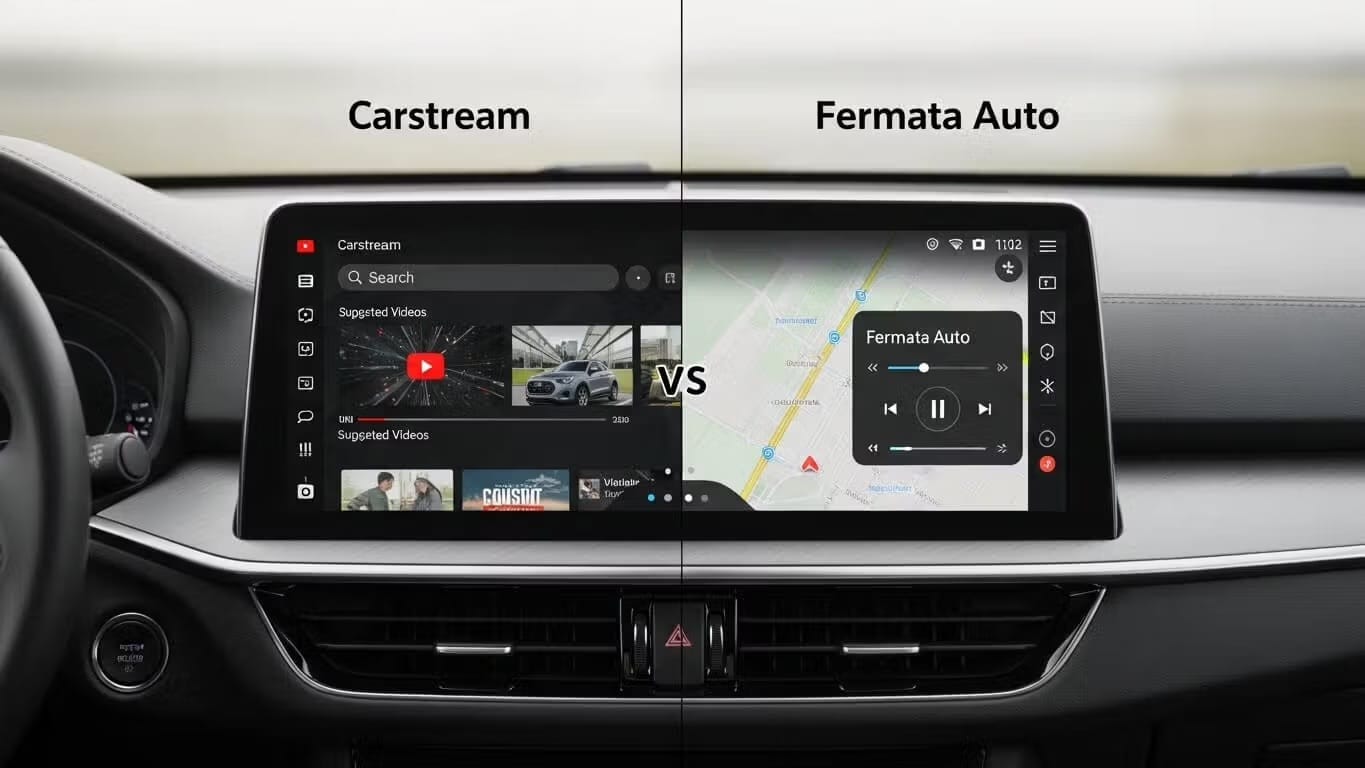
One of the biggest limitations of Android Auto is the inability to play video content on your car’s dashboard. For safety reasons, Google blocks video apps officially. However, thanks to the AAAD (Android Auto Apps Downloader), users can bypass these restrictions to install third-party media players directly to their phones.
Two names dominate this space: CarStream and Fermata Auto. Both promise to bring entertainment to your vehicle while parked, but they function very differently. In this guide, we break down their features, stability on Android 14/15, and installation steps.
CarStream vs Fermata Auto: Feature Comparison
| Feature | CarStream | Fermata Auto |
|---|---|---|
| YouTube streaming | Yes | Yes |
| Local video files (MP4, MKV) | No | Yes |
| IPTV / playlist support | No | Yes |
| Built-in web browser | No | Yes |
| Netflix / Prime Video access | No | Via browser |
| Android 14 compatible | Partial (workaround required) | Yes |
| Android 15 compatible | Partial (workaround required) | Yes |
| Android 16 compatible | Limited | Yes |
| Root required | No | No |
| Setup complexity | Low | Medium |
| Background play | No | Yes |
| Best for | YouTube only | Local files, IPTV, web |
Which App Is Right for You?
- Best for Simplicity (YouTube Only): CarStream. If you want a familiar interface that looks exactly like the YouTube mobile app, this is the choice for you.
- Best for Power Users (Local Files & Web): Fermata Auto. If you want to play downloaded movies from your phone’s storage, watch IPTV, or browse the web, Fermata offers superior versatility.
| Use Case | Recommended App | Reason |
|---|---|---|
| Daily commute, YouTube only | CarStream | Faster to launch, familiar interface |
| Long road trip with downloaded movies | Fermata Auto | Local file playback, no data needed |
| IPTV subscriber | Fermata Auto | Native m3u playlist support |
| Android 14, 15, or 16 device | Fermata Auto | Stronger compatibility across versions |
| First-time user, low technical comfort | CarStream | Simpler setup, no configuration needed |
| Family vehicle, multiple content sources | Fermata Auto | Browser covers most streaming services |
| Using an AAWireless dongle | Either | Both work with Developer Mode enabled |
How to Install via AAAD?
Both apps are unavailable on the Google Play Store. The safest and easiest way to install them is through our app, AAAD:
- Download AAAD to your Android device.
- Open AAAD and grant permission to install from "Unknown Sources".
- Select CarStream or Fermata Auto from the list.
- Tap to download and install.
- Note: The free version of AAAD allows one download every 30 days. The Pro version allows unlimited downloads.
The "Android 14/15" Issue: Solutions for 2025
If you have a modern phone (Pixel 8/9, Samsung S24/S25) running Android 14 or Android 15, you may encounter issues where these apps fail to launch or display a black screen with the error: "No new messages during this drive".
Google has tightened security on third-party apps in newer OS versions. Here are the community-verified workarounds:
- The AAWireless Dongle Method (No Root) This is the most popular solution for non-rooted users. By using the AAWireless adapter, you can enable "Developer Mode" inside the adapter's companion app. This tricks the car unit into accepting the video stream from apps like CarStream and Fermata Auto.
- The Rooted Method (Magisk + LSPosed) For advanced users with rooted phones, installing the Fermata Auto module via LSPosed (Zygisk) is the most reliable fix. This "hooks" into the system to force Android Auto to recognize the app, bypassing the restrictions entirely.
- The Temporary DHU Method You can use the Desktop Head Unit (DHU) tool on a PC to launch the app on your phone before connecting it to the car. This is cumbersome as it requires a PC connection every time you want to start the session, but it works without root or dongles.
Deep Dive: CarStream
Formerly known as "YouTube Auto," CarStream is essentially a web wrapper for YouTube designed to run on your car's head unit.
| Pros | Cons |
|---|---|
| Interface mirrors the YouTube mobile app — no learning curve | YouTube only. No local files, Netflix, or IPTV |
| Fastest path from open to playing a video | Video stops when switching to Google Maps |
| Minimal setup — log in and go | Prone to "No new messages" error on Android 14 and above |
Deep Dive: Fermata Auto
Fermata Auto is a comprehensive multimedia player. While it can stream YouTube, it was originally built to play audio and video files saved locally on your phone.
| Pros | Cons |
|---|---|
| Plays local MP4, MKV files from phone storage | More complex setup than CarStream |
| IPTV and m3u playlist support | Interface feels cluttered for YouTube-only users |
| Built-in browser for Netflix, Prime Video, and more | Configuring media folders takes 15 to 20 minutes on first run |
| Background play works alongside Google Maps | |
| Best compatibility on Android 14, 15, and 16 | |
| Actively maintained with frequent APK updates |
FAQs: Frequently Asked Questions
Can I watch Netflix on CarStream or Fermata Auto?
CarStream does not support Netflix; it is strictly for YouTube. Fermata Auto has a built-in web browser that may allow you to log into Netflix or Prime Video via their web interfaces, though playback controls may not be as smooth as a native app.
Why do I see "No new messages during this drive" when opening CarStream?
This is a common error on Android 14 and higher. Google blocks third-party video apps on newer operating systems. To fix this, you generally need an AAWireless dongle with developer settings enabled or a rooted phone with the correct LSPosed modules.
Do I need to root my phone to use these apps?
No, rooting is not strictly required to install them via AAAD. However, on Android 14+, non-rooted phones often struggle to launch these apps without a wireless adapter (like AAWireless) to bypass system restrictions.
Which app is safer for my battery and data?
Fermata Auto is generally more efficient if you are playing local video files, as it does not require streaming data. CarStream relies entirely on streaming, which consumes mobile data and may drain the battery faster if you are not plugged in.
Is it legal to watch videos on Android Auto?
Watching video content while the vehicle is in motion is illegal in most jurisdictions and highly dangerous. These apps are intended for use only when the vehicle is parked (e.g., waiting for a charge or a passenger). Always follow local traffic laws.
Does Fermata Auto support screen mirroring?
Fermata Auto includes a feature called "Fermata Mirror" which can mirror your screen, but it is distinct from the main media player. If you want full phone mirroring (showing your entire home screen), apps like Screen2Auto or AA Mirror (also available on AAAD) might be better alternatives, though they are often less stable.
Unlock the Power of Android Auto
Experience full customization. Download the official AAAD downloader and start running custom YouTube, mirror, and media apps in your car today.
Install AAAD Now